Moog Messenger | Restoring Global Settings
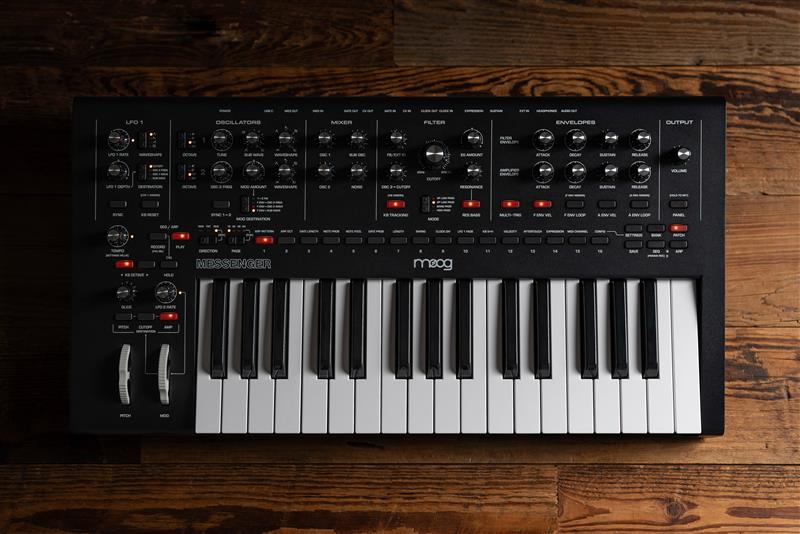
The following article will assist you in restoring the Moog Messenger's global settings to their original factory settings, preserving your custom patches.
TABLE OF CONTENTS
Firmware Update
Ensure that you have updated your Messenger to the latest firmware version found HERE.
From time to time firmware updates will be released to expand the capabilities of Messenger. Firmware updates are accomplished by downloading the firmware update package from our website and connecting your Messenger to a computer via USB.
Once Messenger is connected to your computer run the firmware updater program by either opening the .dmg file (Mac) or running the .exe file (Windows). Follow the on-screen instructions and, when finished, you may disconnect Messenger from your computer.
A video outlining the process can be found HERE.
Restore Global Settings
- CONFIG view by pressing SETTINGS and then PGM button 16 (CONFIG).
- Press PAGE LEFT so that LED 64 is lit – indicating you are on page 4 of the CONFIG options.
- Hold PGM button 15 for one second to execute.
- A video outlining the process can be found HERE.
Was this article helpful?
That’s Great!
Thank you for your feedback
Sorry! We couldn't be helpful
Thank you for your feedback
Feedback sent
We appreciate your effort and will try to fix the article