
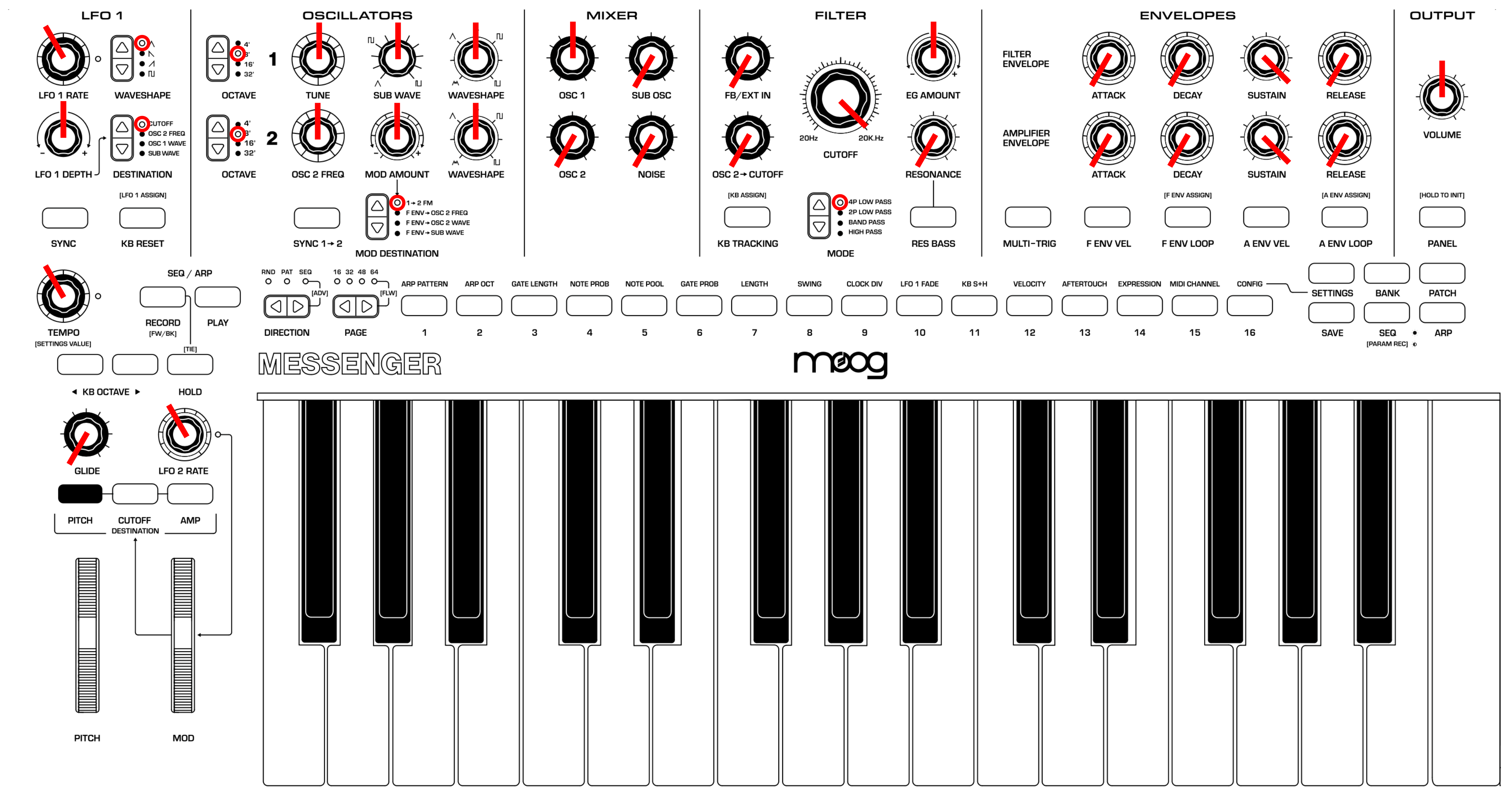
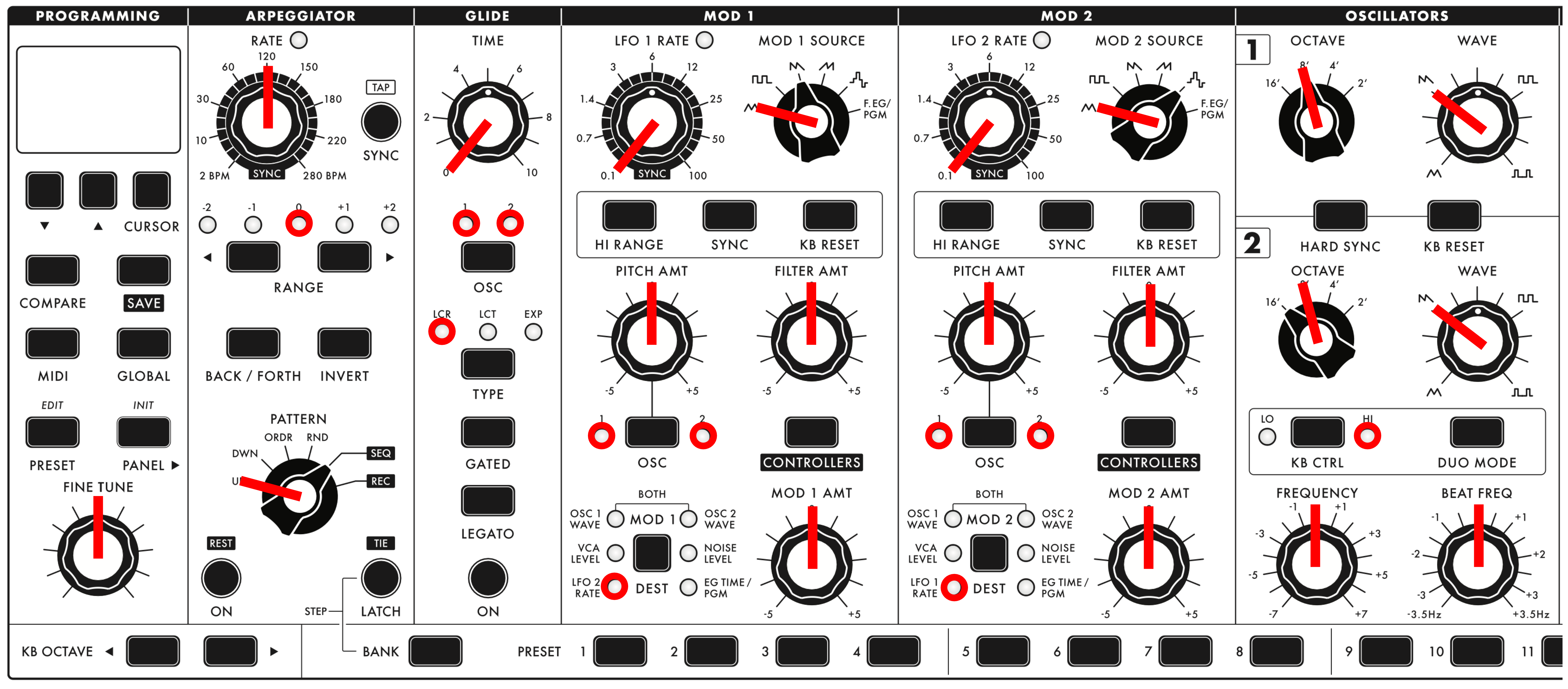
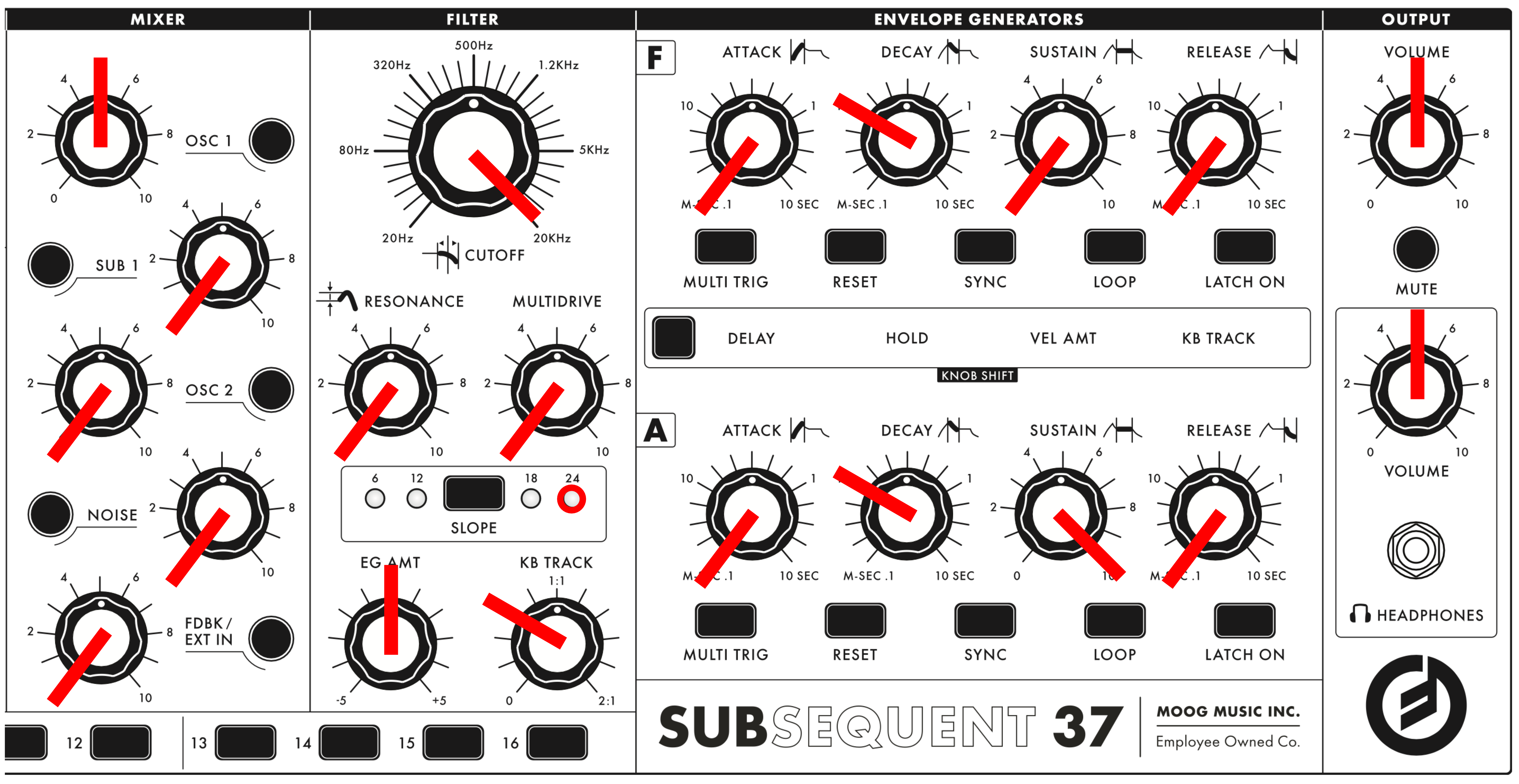
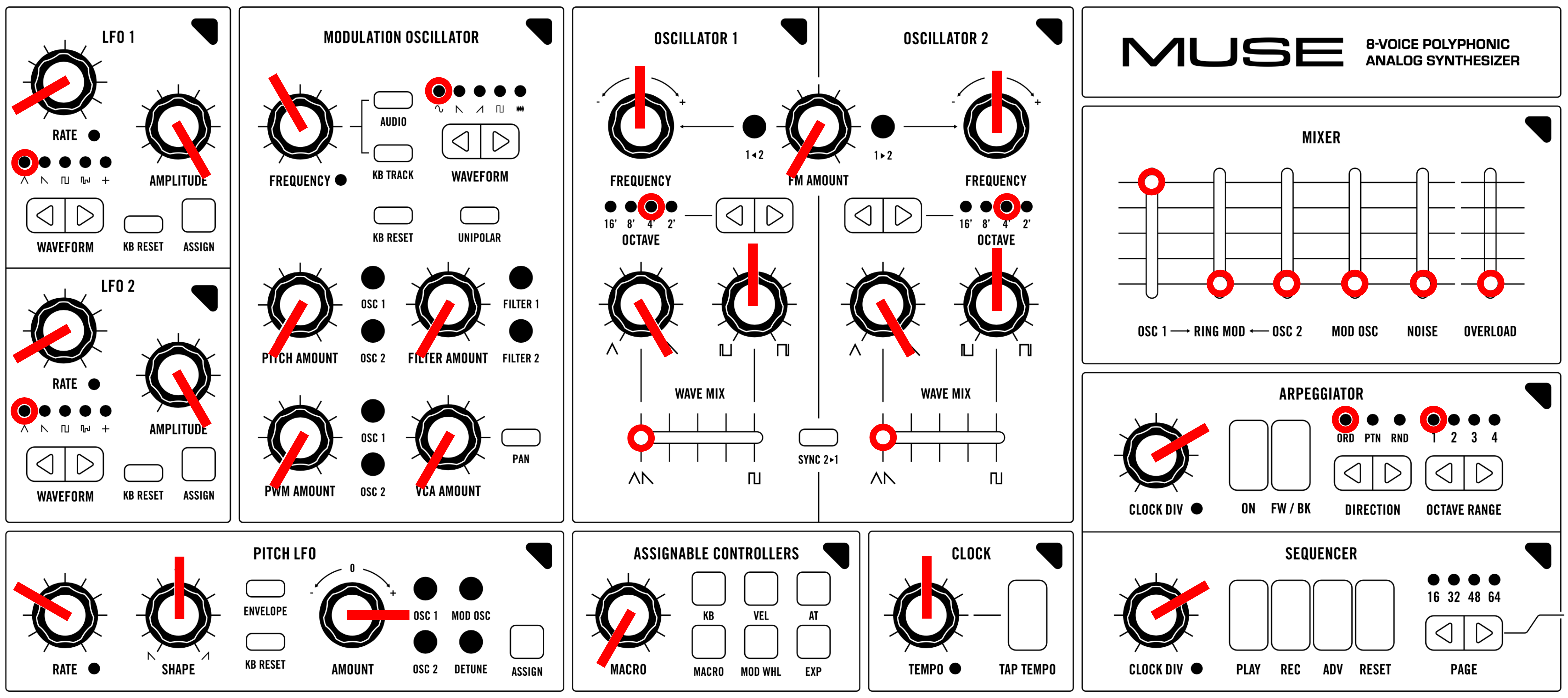
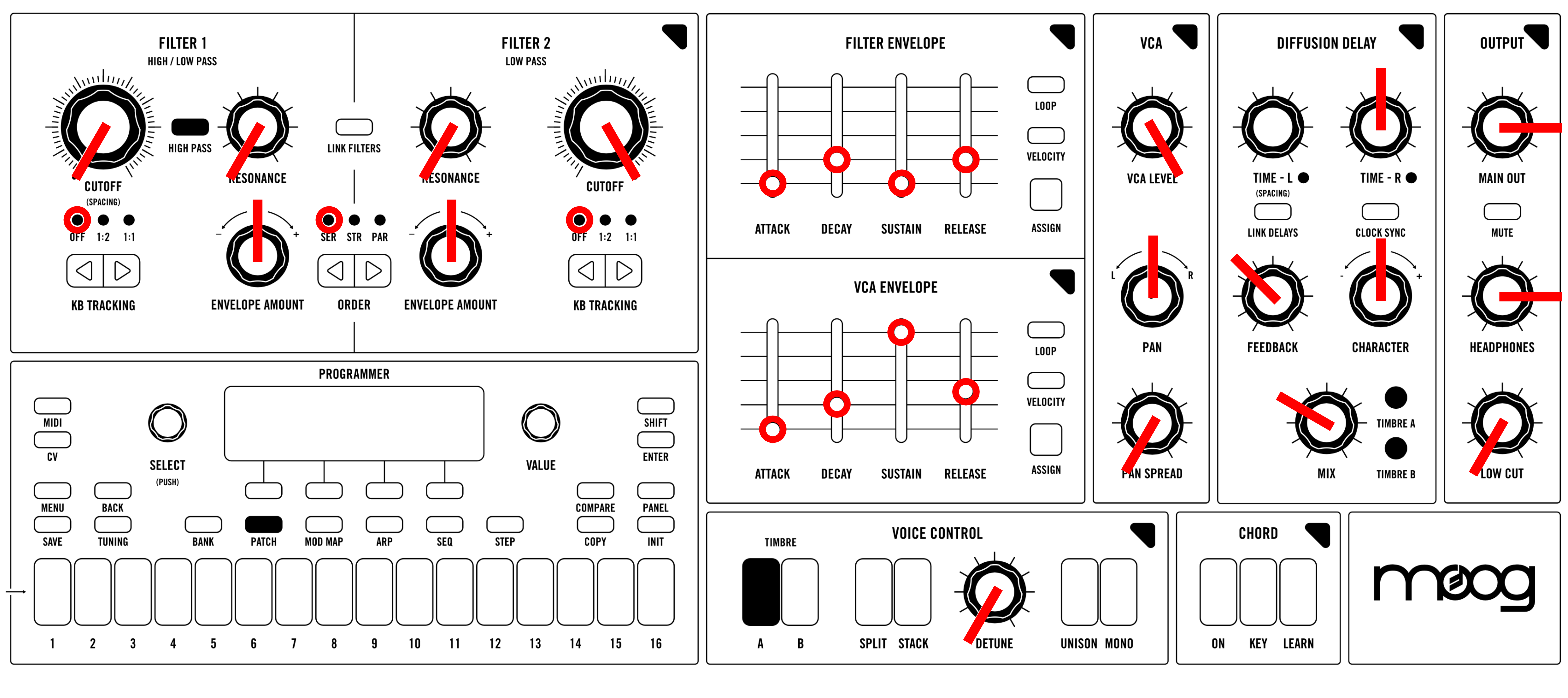
Restoring your analog synthesizer to its original patch is a great way to craft unique sound designs from the base up. It can also help a user enhance their knowledge of the instrument, especially in the early days of using it. If your synthesizer employs digital recall for presets, it will have its own method for restoring an INIT patch. Keep in mind that restoring the INIT patch will erase your current patch, so ensure you save it first. Additionally, the front UI might not accurately display the initialization state of the INIT patch. Nevertheless, if the synth includes an editor, it will indicate what the INIT patch is set to for better clarity. Below you will see the procedure for setting up a default patch, along with a template for an initial patch in case you'd like to replicate it on your hardware synthesizer.
Have fun experimenting!
TABLE OF CONTENTS
- Moog Messenger - Monophonic Analog Synthesizer
- Moog Subsequent 37 - Paraphonic Analog Synthesizer
- Moog Muse - Eight-Voice Analog Bi-Timbral Polyphonic Synthesizer
Moog Messenger - Monophonic Analog Synthesizer
- Press and hold the PANEL button for approximately 3 seconds.
- The PANEL button will flash three times, indicating that you are in an INIT configuration.
- The previously selected patch will continue to have its corresponding PGM illuminated. Once you've modified your INIT patch, remember to save it to a new bank & patch to prevent overwriting your last patch.
Moog Subsequent 37 - Paraphonic Analog Synthesizer
- Press and hold the PANEL button for approximately 3 seconds.
- The previously selected patch will continue continue to be displayed on the LCD screen. Once you've modified your INIT patch, remember to save it to a new bank & patch to prevent overwriting your last patch.
Moog Muse - Eight-Voice Analog Bi-Timbral Polyphonic Synthesizer
- Press INIT
- A page will appear on the programmer offering to you what you would like to initialize.
- PATCH: Turn both TIMBRE A & B to their INIT settings.
- TIMBRE A: INIT TIMBRE A. Leave TIMBRE B on the previously selected patch.
- TIMBRE B: INIT TIMBRE B. Leave TIMBRE A on the previously selected patch.
- The previously selected patch will continue continue to be displayed on the LCD screen. Once you've modified your INIT patch, remember to save it to a new bank & patch to prevent overwriting your last patch.
Was this article helpful?
That’s Great!
Thank you for your feedback
Sorry! We couldn't be helpful
Thank you for your feedback
Feedback sent
We appreciate your effort and will try to fix the article